
Want To Optimize React Native Performance? The Dos And Don’ts


Native apps are the way to build mobile applications; however, back in 2015, Facebook (now Meta) saw the opportunity for a React-based framework moving towards mobile development and created React Native to help businesses build hybrid apps.
Created by Facebook in 2015, React Native helps develop iOS, Android, and Microsoft UWP applications. Many businesses are confused or struggling to decide whether to build native or cross-platform apps.
Based on a 2019 Stack Overflow survey, it was found that React Native was the sixth most popular developer framework and many well-known companies use React Native for their mobile apps.
Now, the question is why many companies use React Native for their mobile app?
Let’s see why React Native app development services providers or companies use React Native:
- It is Fast: It is less time-consuming as the same codebase can be used for both Android and iOS apps except for few changes that needs to be done independently for individual platforms.
- Apps have Native-like look: React Native developers can get native like look and feel for Android and iOS apps even though single codebase is used.
- React Native Performance: The apps built with React Native have good performance as this language is optimized well for different mobile devices; also these apps take support of GPU instead of CPU, which enhances their speed and performance.
- Reliability is not a concern: With big companies such as Airbnb, Instagram and Uber Eats using React Native, you can mark it as tried and tested.
- It is developer-friendly: React Native is community-driven, and you can go to Github React Native Community for some solid discussion. There’s also a huge chat server named Reactiflux, where developers can solve their problems.
What matters? The User Experience and React Native Performance
The user experience is the only thing that makes or breaks the app. However, React Native gives almost everything a developer would need to develop an app with great performance.
Most mobile devices come with a 60hz display; a developer gets 16.67 milliseconds to display a frame for the app to deliver great performance. If the app falls short of this, it will result in poor performance, and the UI may even become unresponsive.
Do you want to improve React Native performance? If yes, you should know the dos and don’ts of React Native?
Yes, then let’s help you with that;
The Do’s
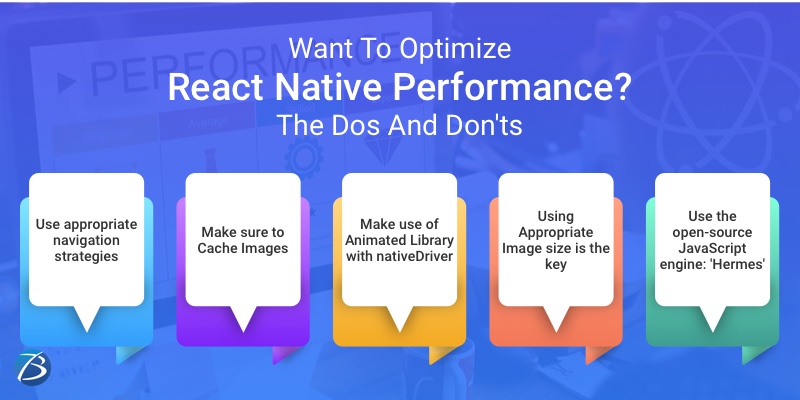
1.Use appropriate navigation strategies:
It’s been a long since React Native teams have been working to address problems related to navigation and have fixed a ton of them, but there is a ton left to be fixed to provide a seamless experience.
Difficult navigation between screens may refrain users from using your app.
- iOS Navigator: Only for iOS and will not help in Android.
- Navigator: Works only for small application and prototype development. (doesn’t work for complex or high-performance applications)
- Navigation Experiment: Works well for complex applications, but it’s quite complex while implementing; not everyone prefers it.
- React Navigation: Used by many apps and often and widely recommended; it is lightweight and works well for both small and large scale applications.
2. Make sure to Cache Images:
Images are a core component being offered by React Native and used to display an image, but there’s no out of box solution for issues such as:
- Low performance in general and cache loading
- Image flickering
- Rendering too many images on a single screen
However, you can easily resolve these issues using third-party libraries, like react-native-fast-image. This library is available for both iOS and Android and works really well.
3. Make use of Animated Library with nativeDriver:
In React Native, the Animated library is one of the most popular ways to render animations in React Native apps.
With the help of nativeDriver, the Animated library sends animations over the native bridge before the animation starts on the screen. It helps execute the animation independent of blocked JavaScript threads which return a smoother and flicker-free experience with no frame dropping.
You need to set the value to true if you want to use nativeDriver with Animated library.
4. Using Appropriate Image size is the key:
Considering React Native performance when the app relies heavily on images, optimizing images is crucial. Rendering this much image will result in high memory usage on a device if the images are not optimized in size; this can even lead to a big blunder like the app may crash.
Here’s how you can optimize the images in the React Native App:
- Avoid JPG and Use PNG format or use WEBP format as it can cut down the binary size on both Android and iOS by 29%
- Use images that are smaller in size
5. Use the open-source JavaScript engine: ‘Hermes’:
Hermes is an open-source JavaScript engine specifically optimized for mobile applications. Hermes is available for the Android platform since React Native version 0.60.4. The benefit of using it is that it reduces the download size of an App, memory consumption and the TTI (Time to interact) time.
After the React native version 0.64-rc.0 Hermes is also available on the iOS platform.
The Dont’s
1. If you want to Render Huge Lists: Avoid Use of ScrollView:
If you want to display items with scrollable lists in React Native, then there are two ways to implement lists:
- ScrollView
- FlatList
Scrollview is easy to implement and is often used to iterate over a list of a finite number of items. This approach is good, but only when the number of items on the list is quite low. Comparatively, using Scrollview with a large amount of data can directly affect the overall React Native performance.
For handling a large set of data in the list format, React Native provides FlatList. In FlatList, the items are lazy-loaded. However, the app does use an inconsistent or excessive amount of memory.
2. Don’t forget to remove all console statements:
Console statements are necessary for debugging JavaScript codes, but they are only for development purposes. If you forget to remove these statements before bundling, these statements could cause serious React Native performance issues.
You could also use plugins such as babel-plugin-transform-remove-console to remove these statements from production. However, you can remove it manually if you don’t want to add additional dependencies to your React Native application.
3. Refrain from Updating state or dispatch Actions in componentWillUpdate:
You can go for the componentWillUpdate lifecycle method to prepare for an update. If you aim to set a state, you can easily do that with the help of componentWillReceiveProps instead, or if you want to play safe, then use componentDidUpdate instead of componentWillReceiveProps to dispatch any Redux actions
4. Unnecessary libraries and features; Remove it all:
Each library comes with a footprint left on your React or React Native application. Therefore, you should only add libraries and features that you need and remove all other irrelevant dependencies. Navigations, Animations, tabs and other features influence the screen load time, so the lesser, the better.
5. Anonymous Functions While Rendering; Avoid it:
What developers call a bad practice is ‘creating functions in render()’ because it leads to serious React Native performance issues. A different callback is created each time a component re-renders, which is not a problem for smaller components.
However, when it comes to PureComponents and React.memo() or when the function is passed as a prop to a child component, it becomes a serious problem.
Instagram: Making the right use of React Native
The creator of React Native, Meta’s owned photo-sharing social platform Instagram, is one great example.
Instagram’s primary operation mode is digital photography and short videos now. Back in 2016, Instagram seriously thought of switching to Reactive Native, post-integration with existing technology was a challenge, but now they can push features faster, smoothly and maintain both iOS and Android App versions.
Are You Interested in Building a Top-Class Website or Mobile App?
Conclusion
The open-source React Native framework creates cross-platform mobile applications. JavaScript being the core, it also has components for building interfaces and functionalities. It’s a popular framework that delivers a seamless experience at scale.
React Native offers businesses the ease and opportunity to create mobile apps differently than what seemed possible a decade ago, when you could build native-like apps, but you could just use one programming language like Java.
These days, things are different, companies have made grand improvements on both iOS and Android platforms, but such improvements require the help of qualified React Native developers.

